Sensors
The robot measures the world: the line beneath it, the distance to the cargo, the turns of its wheels.
- In the app
- Live readings and a recording of every run.
- In the course
- Line sensor calibration, ultrasound, encoders.
Courses, an app and a robot in one environment. Write real code, test it in the simulator and see what the robot senses.
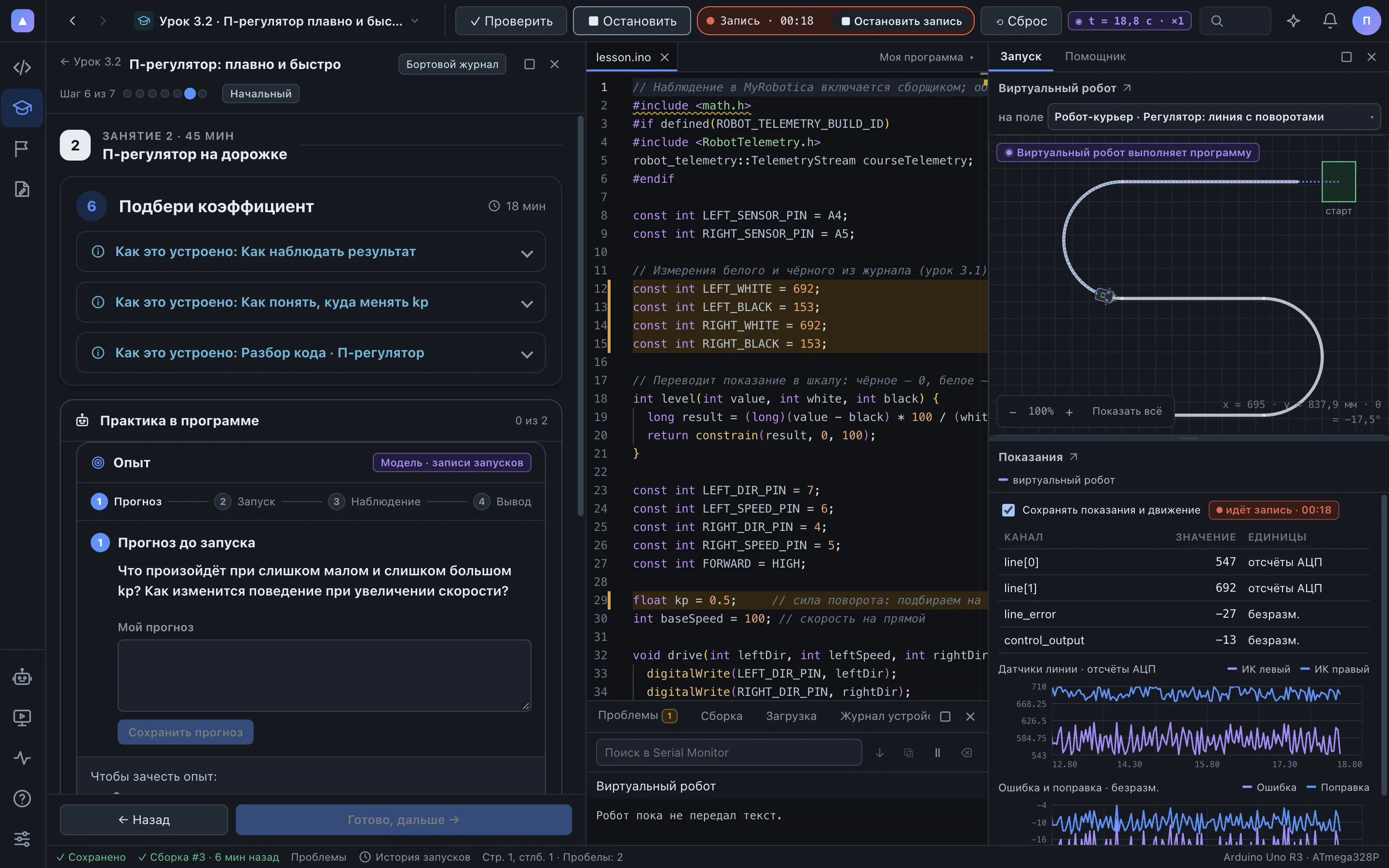
A real app screen: lesson 3.2, “P-controller”, on the course track.
We teach you to go through it deliberately. The app shows every phase, so you can see exactly where the robot went wrong.
The robot measures the world: the line beneath it, the distance to the cargo, the turns of its wheels.
The program turns measurements into a decision: how much to turn, where to stop.
The motors carry out the decision, and the robot moves differently.
↺ The result of each action comes back through the sensors.
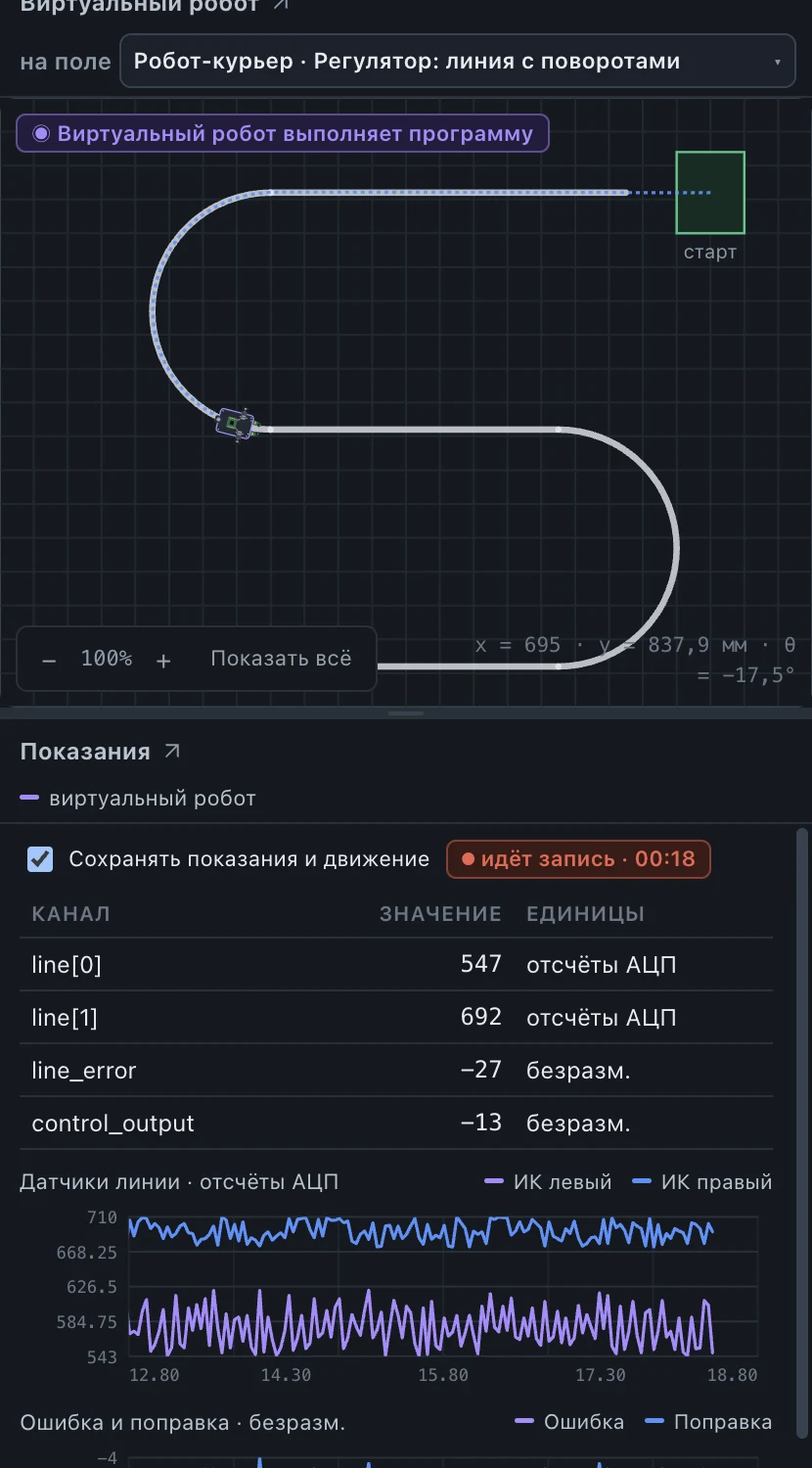
This is lesson 3.2: the robot drives the course track while the charts show every decision it makes.
Both sensors see white on either side of the line. The error is near zero and the wheels turn at the same speed.
The line slides under one sensor. Its reading drops and the error grows.
The P-controller multiplies the error by kp. One wheel speeds up, the other slows down, and the robot returns to the line.
You should be learning autonomous control, not hunting for libraries and drivers.
13 lessons from the first screw to the mission: the robot finds two loads on its own and carries them along the track.
A camera and object recognition. Tentatively on ESP32-S3.
Learning behaviour and a neural network on the robot.
Manufacturers add their own robot and their own course to the same environment.
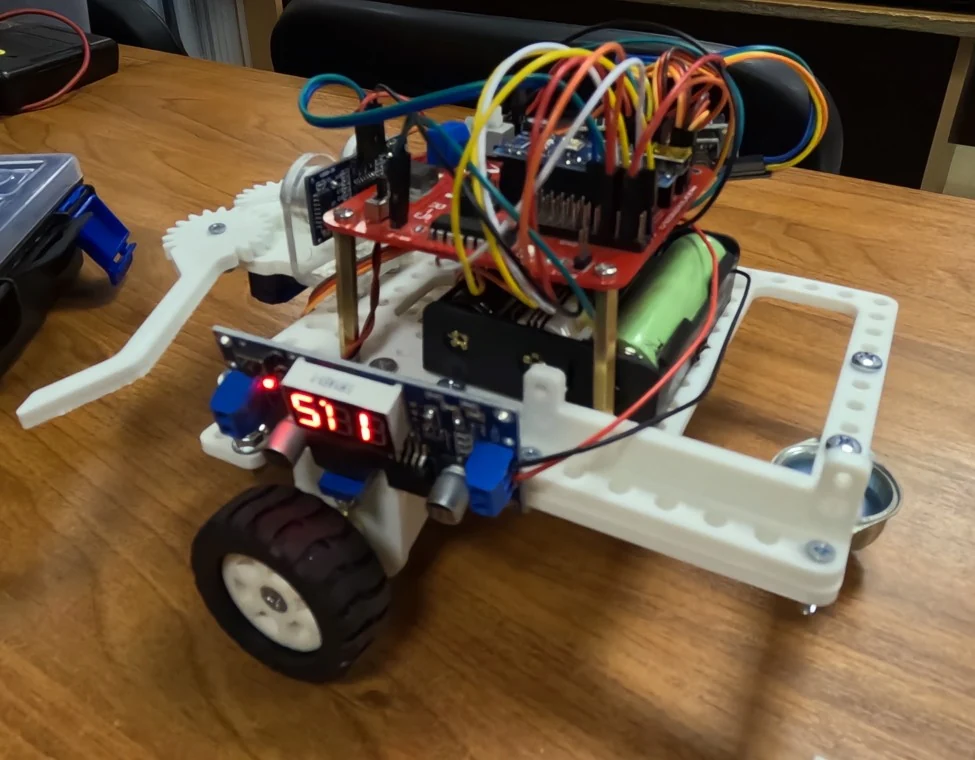
The body is 3D-printed and everything else is standard parts. The app also works with robots from other manufacturers.
How the robot worksA field to the rulebook dimensions, attempts in the simulator and on the robot, scoring by the rules.
Line following, Chain and Sorting, based on published rules.
Tasks from world and national competitions in different countries.
One field and one simulator for everyone: fair remote qualifying.
Everything is free forever. No programming experience needed. Age 10 and up, no upper limit.
Free for everyone who teaches for free. Teacher guides, classes, work review and a school server that runs without internet.
A profile and a simulator model of your robot, a course on it, competitions. No advertising aimed at children.
Download the app, open the first lesson and run the robot in the simulator. A real robot connects to the same code.